Dashboard
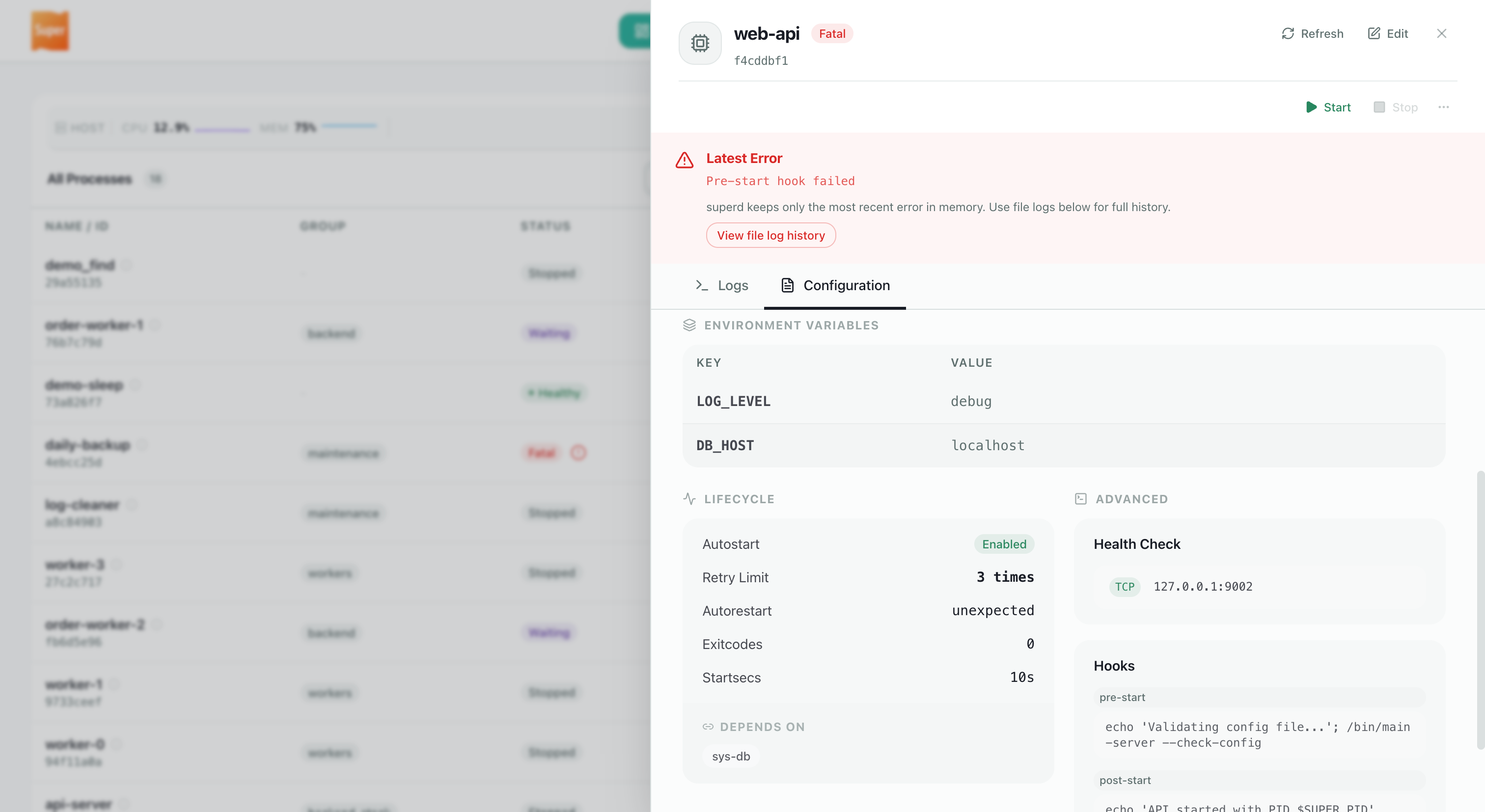
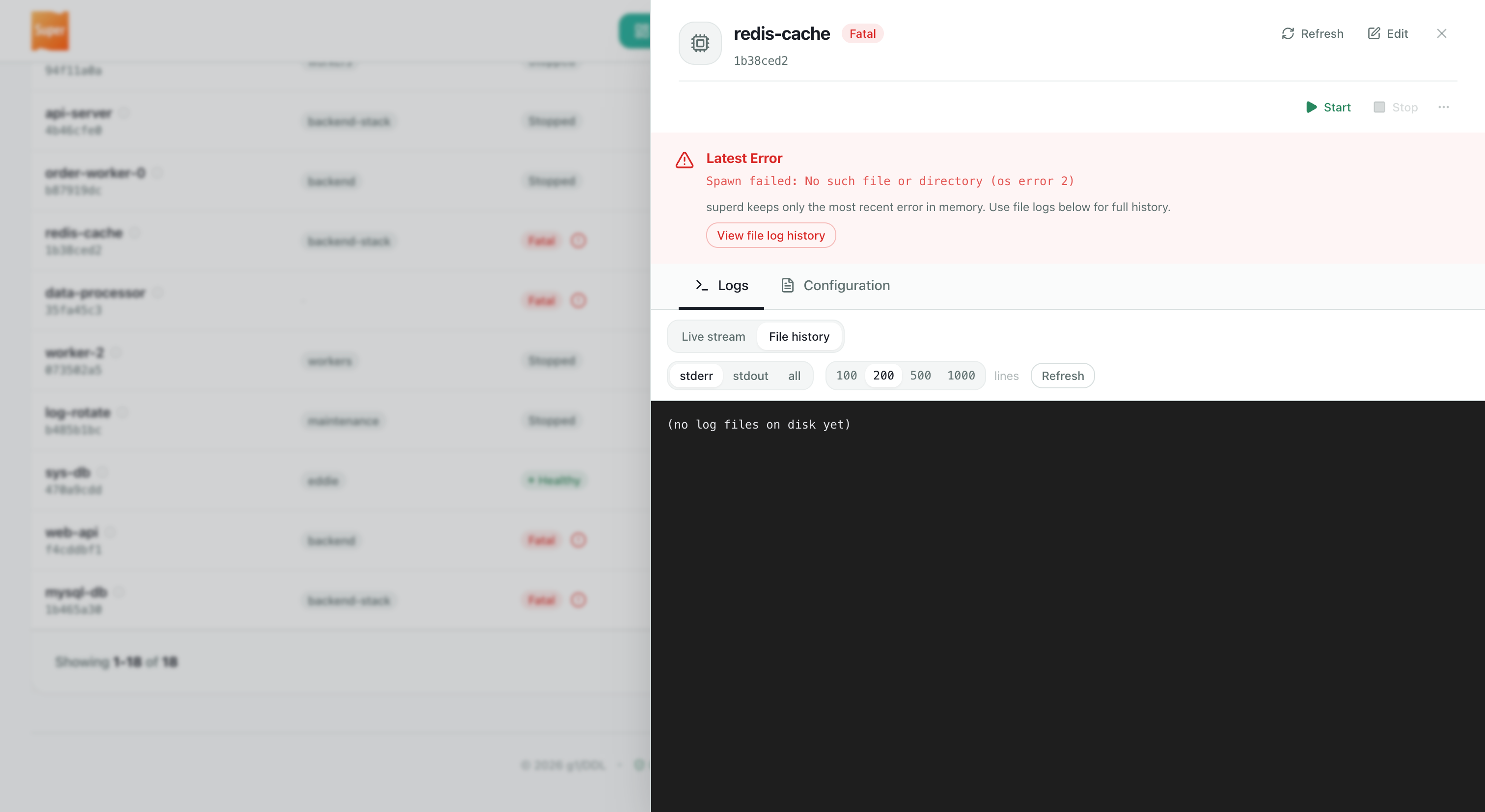
The Dashboard is the browser UI for superd. OSS builds embed the shell (process overview, detail drawer, stack editor, license page, login). Subscription installs can load the optional ui plugin, which registers Pro-only pages and actions — those stay hidden until the matching plugins are licensed.
OSS vs subscription
| Edition | Dashboard at / |
|---|---|
| OSS (no plugins) | Embedded shell — overview, logs, stack, program create/edit, license CTA, optional core auth login. |
Licensed + ui plugin | Same shell, plus Pro extensions when peer plugins load (see Pro UI extensions below). |
Tip
You do not need the ui plugin to open a basic Dashboard on OSS.
Accessing the Dashboard
http://localhost:9002 (default; see port in config)
- OSS / loopback: open by default. Set
auth_secretinconf/super.tomlto require the admin Bearer — see Authentication. - Licensed: the
securityplugin is required at startup. Prefer generated Access Tokens (sk-…) for day-to-day login; configauth_secretremains usable until an Admin disables it.
Dashboard tour (OSS shell)
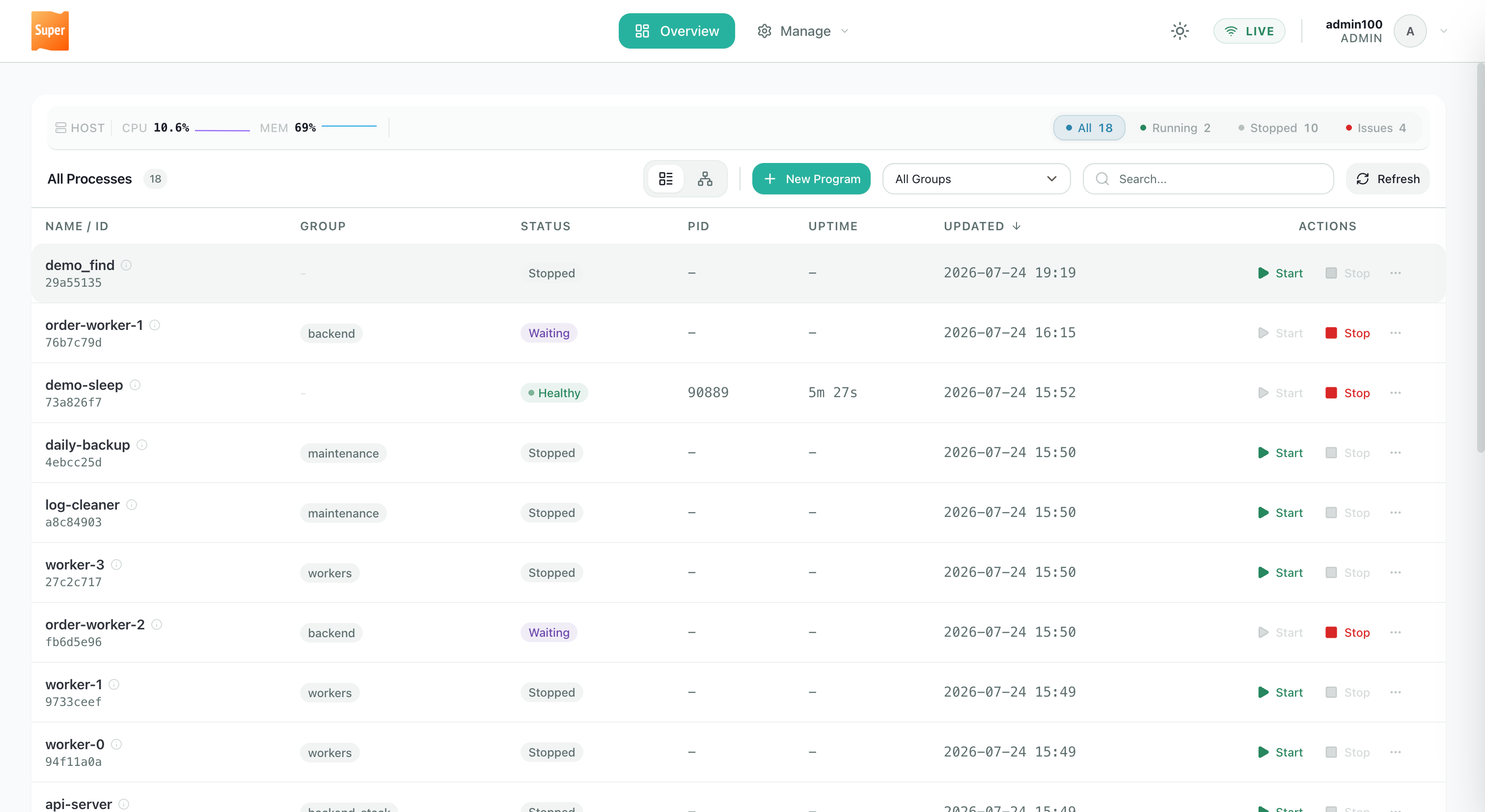
Screenshots below show the embedded shell (docs/static/images/). Use the tabs to browse each area — images are capped in width; click to enlarge.
Process list with host CPU/memory metrics (from the machine running superd), status filters, search, and topology view.
Pro UI extensions
💎 Subscription. With a valid license, install the ui plugin into $SUPER_ROOT/plugins/ and restart superd. The shell then loads extension assets and nav only when peer plugins are present — OSS never shows empty Pro stubs.
| Surface | Needs | Docs |
|---|---|---|
| Access Tokens (Account menu) | security + ui | Authentication · Access control |
| Notification Settings (Webhooks / Inhibition / Delivery) | notify + ui | Event notifications |
| Process hot-reload action | ui (+ license) | Process detail action strip |
Feature summary
| Area | OSS shell | Subscription (ui + peers) |
|---|---|---|
| Overview / detail / logs | ✅ | ✅ (+ optional Hot Reload) |
| Stack editor / create-edit | ✅ | ✅ |
| License page | ✅ (Community CTA) | ✅ (status when licensed) |
| Access Tokens | — | ✅ |
| Notification Settings | — | ✅ (see Event notifications) |
Security
OSS: Dashboard and API follow core auth (loopback open by default; set auth_secret to require login; non-loopback without secret refuses to start). Multi-user tokens are not available without security.
Licensed: security must load — startup fails otherwise. Prefer generated Access Tokens for day-to-day login. See Access control and Authentication.
Warning
Binding beyond localhost without a secret is unsafe. Non-loopback binds already require core auth (or the security plugin when licensed). Prefer loopback, a reverse proxy with TLS, or a licensed multi-user deployment.
Was this page helpful? Thanks for your feedback!
Still have questions? Open an issue or browse the source.