Web UI
Licensed plugin 💎: The dashboard requires the
uiplugin in[license].key. OSSsuperdserves a short notice at/instead of a dashboard.
OSS vs subscription
| Edition | Web UI at / |
|---|---|
| OSS (no plugins) | Static notice — no dashboard. Use super CLI or /api/v1/*. Links to Get Super Pro and the feature matrix. |
| Licensed | Full dashboard served by the authorized UI plugin. |
OSS superd does not embed a dashboard. The optional ui plugin serves it at runtime via super_plugin_ui_v1 after you add a license key and plugin libraries — see Get Super Pro.
Accessing the dashboard (licensed)
With the ui plugin loaded and authorized in [license].key:
http://localhost:9002
port = 9002 in your configLog in with an Access Token (sk-…) when the security plugin is enabled. Prefer generated tokens for day-to-day use; config auth_secret remains usable until an Admin explicitly disables it. See Authentication.
Dashboard tour
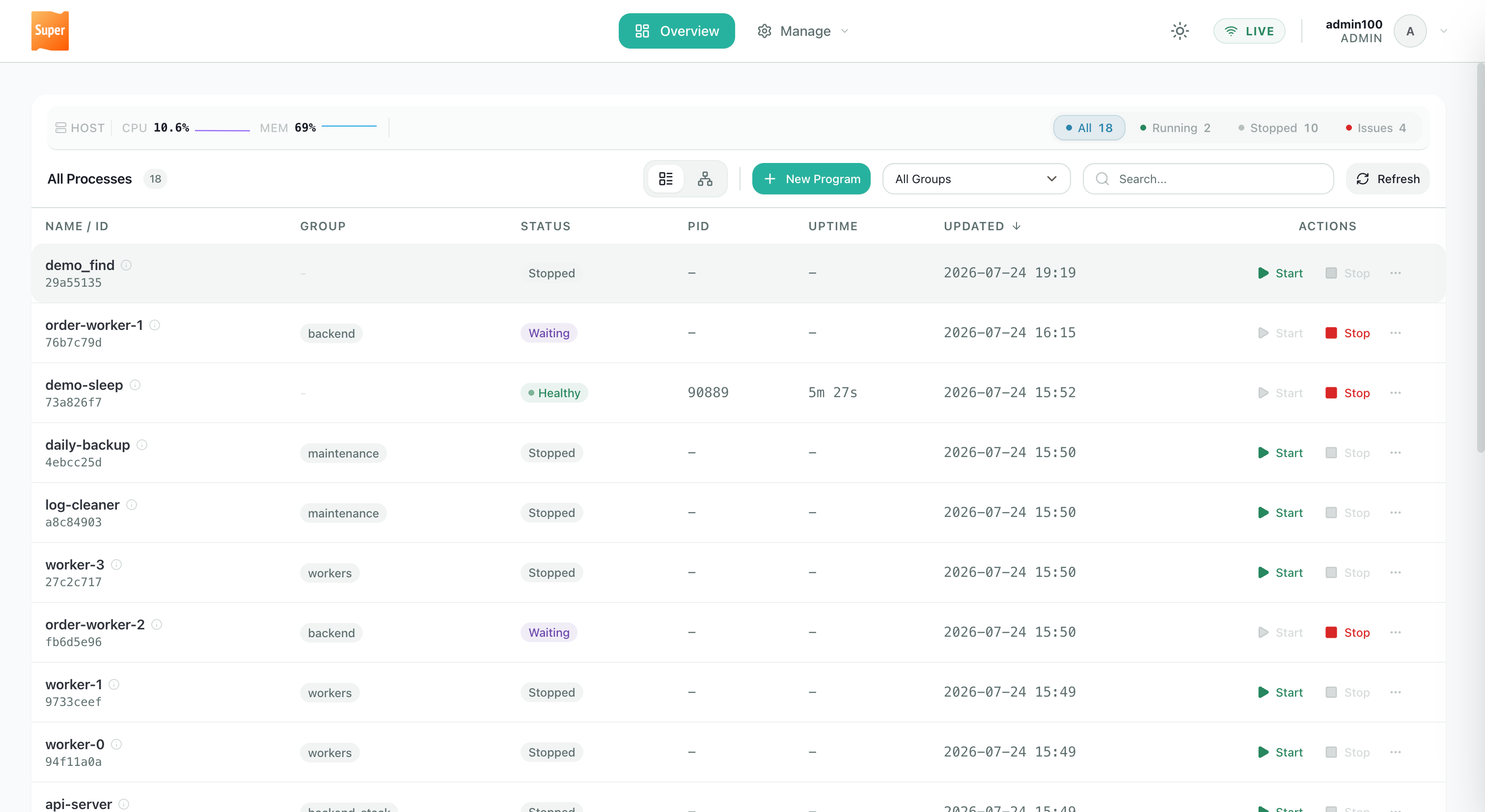
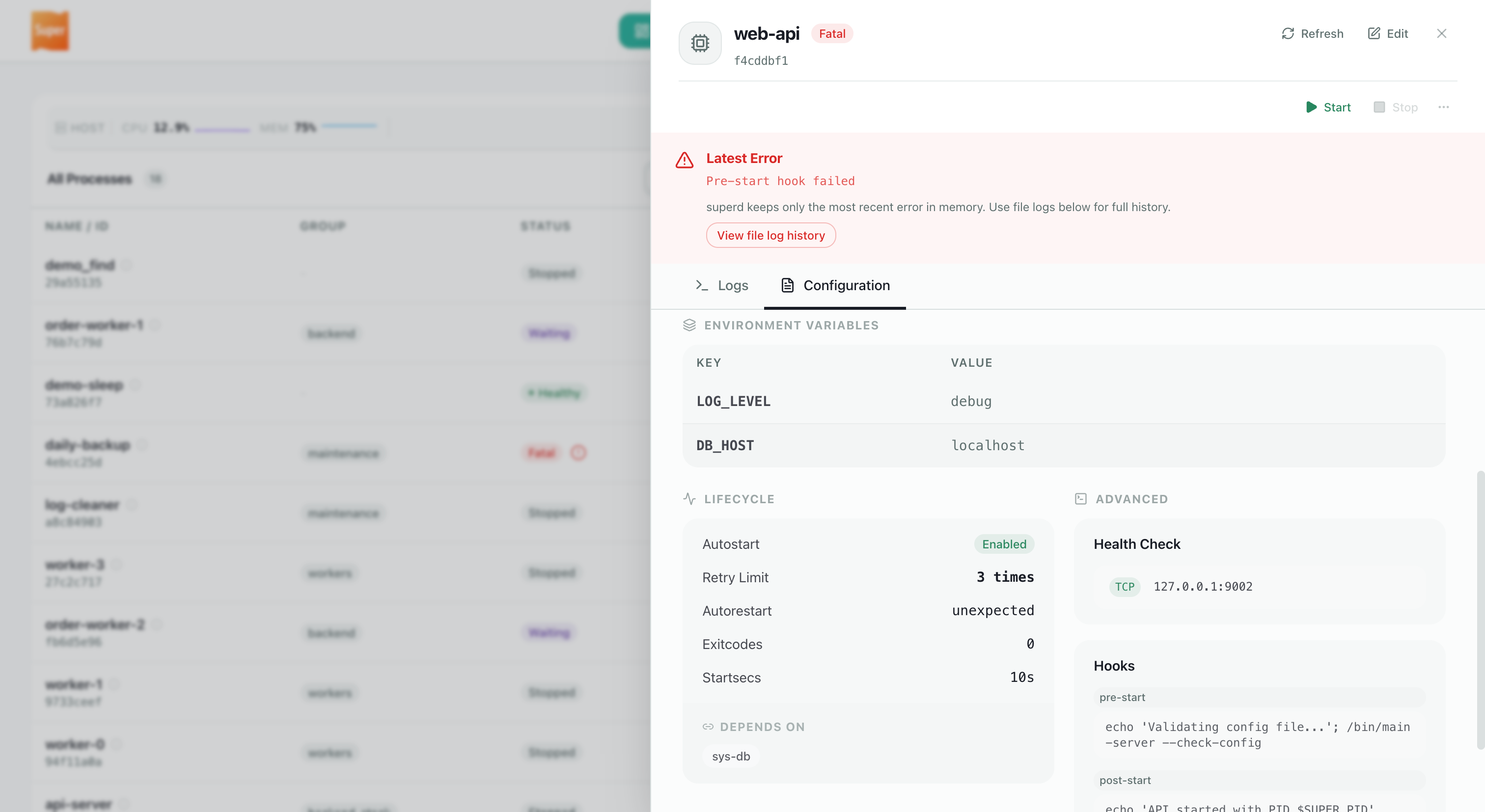
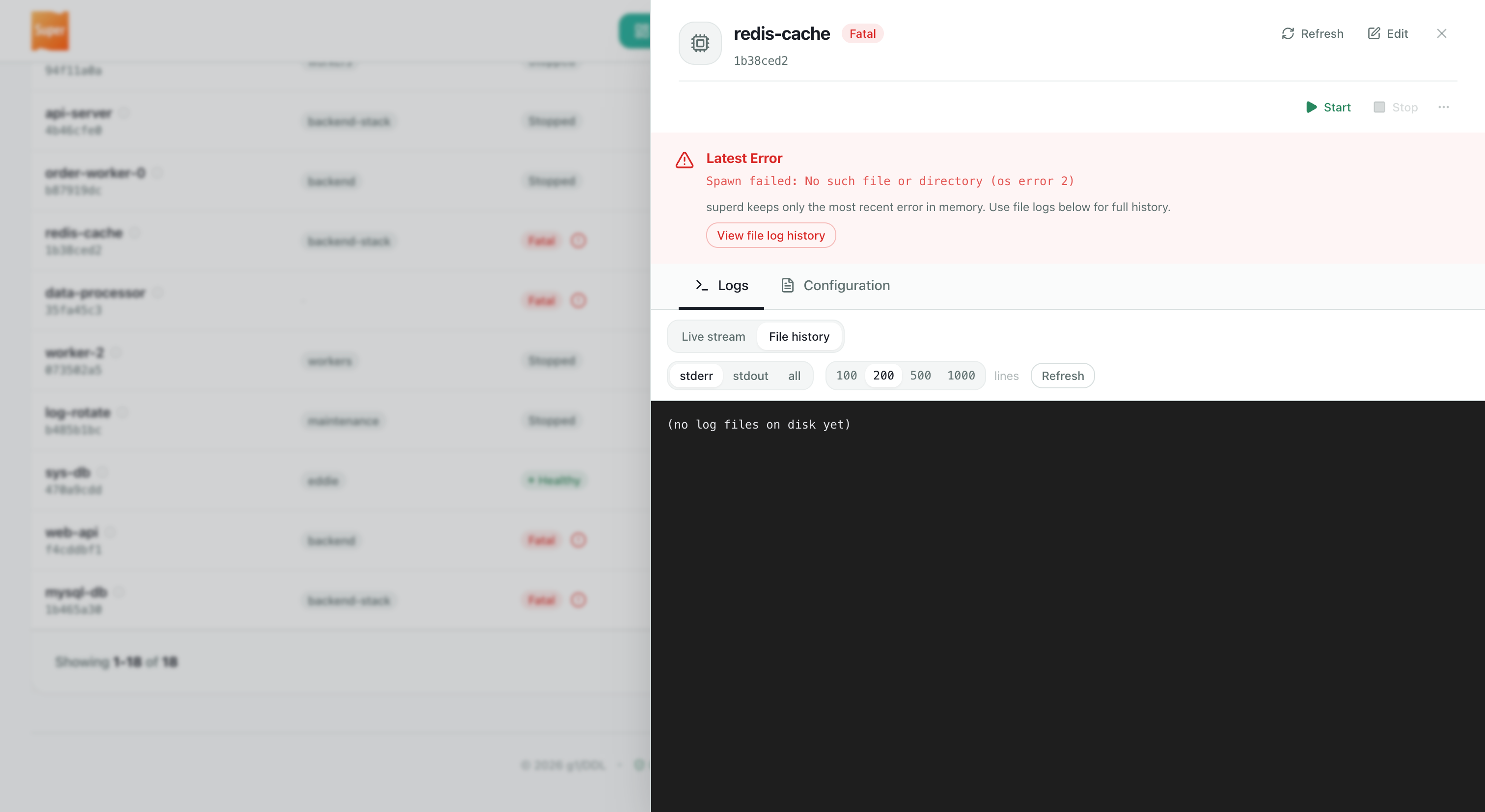
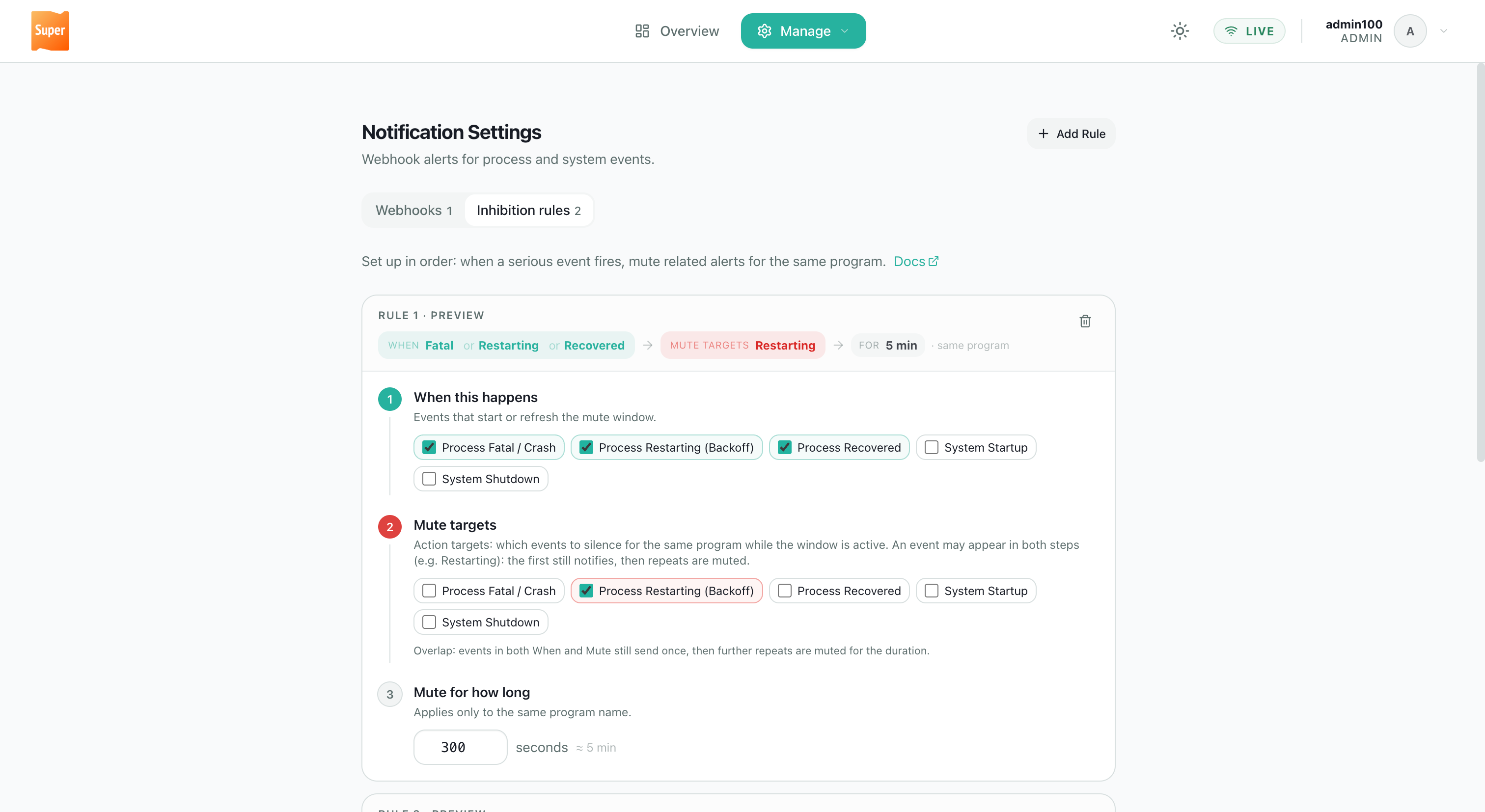
Screenshots below are from a licensed deployment (docs/static/images/). Use the tabs to browse each area — images are capped in width; click to enlarge.
Process list with host CPU/memory metrics (from the machine running superd), status filters, search, and topology view.
Deploy the ui plugin
Install the ui plugin library from your subscription delivery package into $SUPER_ROOT/plugins/.
Restart superd after updating plugins.
Feature summary
| Area | What you get |
|---|---|
| Overview | Process counts, host metrics, filters, list/graph views |
| Program detail | Config, hooks, health checks, live logs, start/stop/restart |
| Notifications | Webhooks + Inhibition rules (notify plugin) |
The dashboard also includes create/edit program forms, a stack editor, API token management, and a license page — not shown above.
Security
Without security plugin (OSS only): The API and dashboard static assets are reachable without authentication on the bind address. OSS defaults to loopback-only startup (allow_insecure_public_bind = false).
Licensed: security is bundled and must load — startup fails otherwise. Dashboard and API require token auth.
With security plugin loaded: Token authentication and RBAC apply to the API and dashboard. Prefer generated Access Tokens for day-to-day login. auth_secret remains usable until an Admin explicitly disables it (after creating an Admin token). See Access control and Authentication.
Security tip: OSS exposure beyond localhost requires explicit
allow_insecure_public_bind = trueor thesecurityplugin. Licensed deployments always loadsecurity.